

Yamaha Connext 4.3" Frozen, Peeling, or Stuck on a Maintenance Alarm? Here's the Fix
Noticed a dark bubble or lifted edge forming around your Yamaha Connext 4.3" display? You’re not alone. This peeling border is one of the most common issues on 2018+ Yamaha boats and WaveRunners — and it’s more than just a cosmetic problem. Here’s what’s actually happening, why it gets worse, and how to fix it without spending $1,000+ on a new unit.

Why Is My Yamaha Connext 4.3" Frozen, Peeling, or Stuck on a Maintenance Alarm?
If your Yamaha Connext 4.3" touchscreen has frozen up, won’t respond to taps, or has a black bubble forming around the border, you’re seeing the most common failures on these displays. The frozen screen often gets stuck on a maintenance alarm with no way to dismiss it. Here’s what’s happening, why it gets worse, and how to fix it without spending $1,000+ on a new unit.
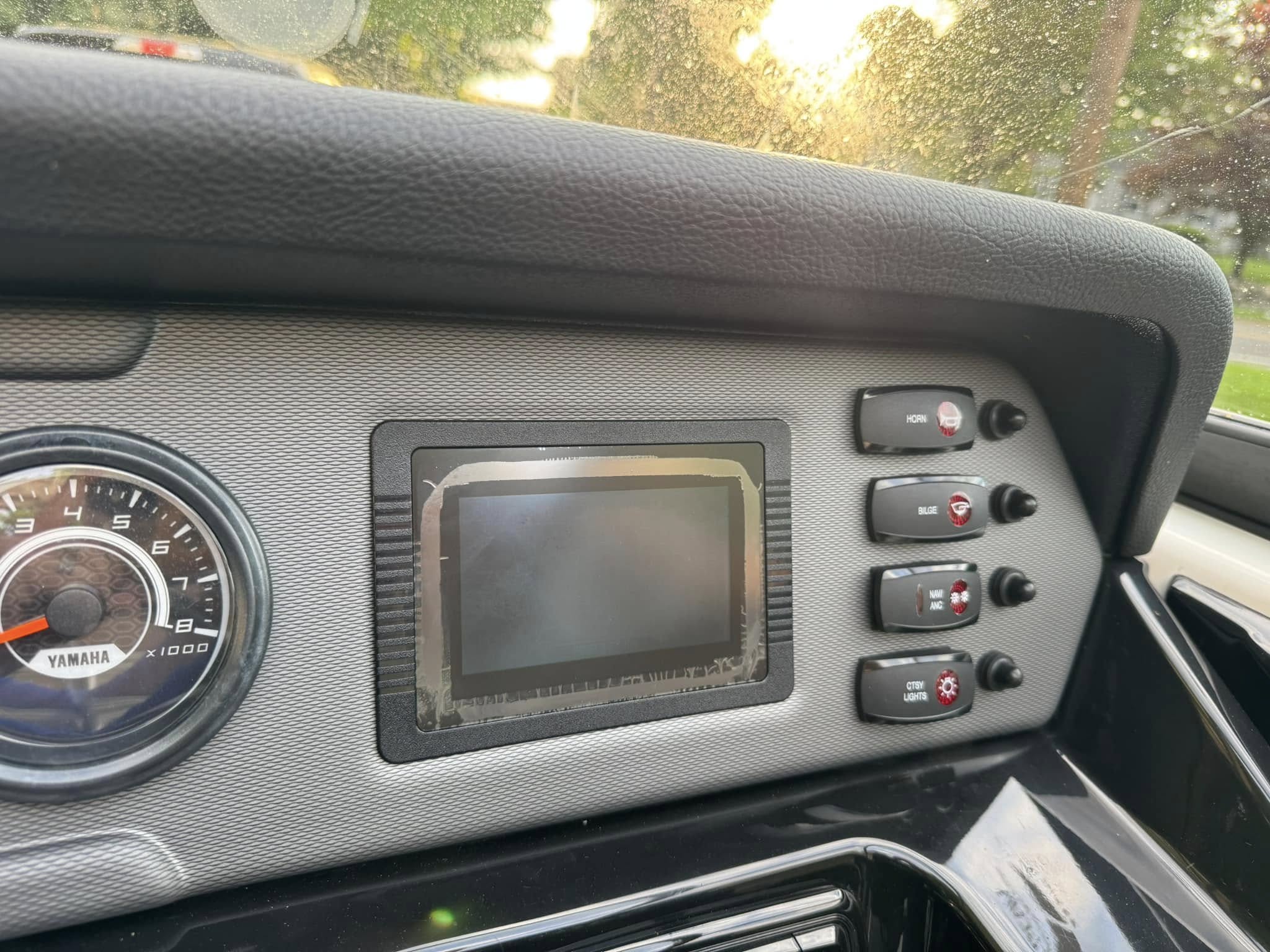
Classic Yamaha Connext 4.3" peeling border — the black mask separating from the glass at the edge.
What’s Happening to Your Screen
Frozen touch and peeling borders
The Yamaha Connext 4.3" display (also known as the Activision 430) is made up of two bonded layers: the outer glass digitizer and the LCD panel underneath. Around the edge of the screen, a black adhesive mask holds these layers together and creates that clean finished border you see when the screen is new.
Over time, this mask peels away from the glass — usually starting at the bottom edge — and slowly works its way up. As the digitizer separates from the LCD, touch response degrades: dead zones appear, taps don’t register, and eventually the screen freezes completely. A common symptom is the display getting stuck on a maintenance alarm or warning screen with no way to dismiss it.
Why Does This Happen?
The marine environment is brutal on electronics
The OEM bonding method used on these Connext displays simply wasn’t designed to hold up long-term against the combination of stressors your boat faces every time it’s on the water:
- UV exposure — direct sun beats down on your helm all day. UV rays degrade adhesives over time, weakening the bond between the glass layers.
- Heat cycles — your display heats up under the sun and cools down when stored, repeatedly stressing the seal around the edges.
- Vibration — every wave, wake, and trailer run sends vibration through the hull and into your electronics, working the adhesive loose from the inside out.
- Moisture & humidity — humid marine air gets into any gap it can find. Once delamination starts, moisture accelerates it rapidly.
The 4 Most Common Failures
Frozen touch is #1 — here’s the rest
Across hundreds of Connext 4.3" units we’ve repaired, frozen and unresponsive touch is by far the most common failure — often appearing as a screen stuck on a maintenance alarm or warning page.

⏱ Frozen / Unresponsive Touch
The #1 issue. You press the screen and nothing happens. Often appears as a stuck maintenance alarm, frozen warning page, or completely dead touch input. The display still shows correctly — you just can’t interact with it.

⚠️ Dead Zones
The right half, left half, top, or bottom of the screen stops responding to touch. The screen displays correctly but won’t accept input in certain areas.
🔴 LCD Defects
Stripes, random colors, yellowing, sunburn, and dark spots — all caused by moisture entering through the peeled border and reaching the LCD layer.
🌊 Peeling Border
The signature failure — a dark bubble or lifted edge that starts at the bottom and spreads around the perimeter as the adhesive bond fails.
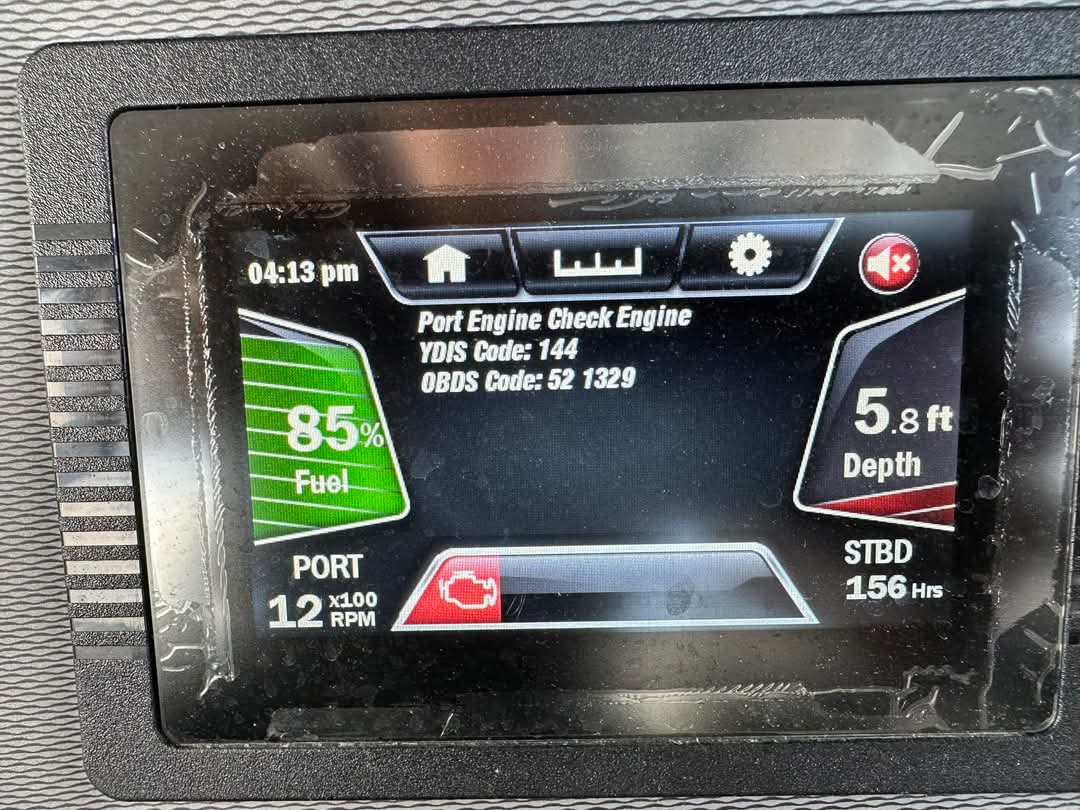
🎦 See It Yourself — Frozen on a Maintenance Alarm
This is what a frozen Connext 4.3" looks like in a real customer’s boat — stuck on a maintenance alarm with no way to dismiss it. The display shows correctly, but the touch panel has completely failed to register input.
See the Full Repair
Removal and screen replacement walkthrough
Watch the removal and screen installation process for the Yamaha Connext 4.3" display on WaveRunners, FSH, and AR series boats.
Why You Shouldn’t Wait
The cost of ignoring early symptoms
It’s tempting to leave a peeling border alone when it seems like “just a cosmetic issue.” Here’s why that’s a mistake:
- It will keep spreading. Once the adhesive lets go, there’s nothing stopping it from continuing. A small bubble becomes a full-perimeter gap within a season.
- Moisture damages the LCD. That open gap is a direct path for humidity and spray to reach the LCD panel. Result: yellowing, fading, dark spots, or a dead screen.
- Touch response degrades. The digitizer is held in precise alignment. As delamination spreads, you’ll start noticing dead zones, inaccurate touch, or a fully frozen screen.
- A failing display on the water is a safety issue. Your Connext shows depth, speed, fuel, and navigation. An unresponsive screen isn’t just frustrating — it’s a risk.
Affected Models
2018+ Yamaha & Godfrey lineups
This repair covers the Activision 430 / Yamaha Connext 4.3" display found across a wide range of Yamaha watercraft and boats:
The Smart Fix
Replace the screen, not the whole unit
You don’t need to spend $1,000+ on a brand new display unit. The wiring harness, housing, boards, and mounting hardware are all fine — only the screen assembly is worn out. Our improved bonding method is specifically engineered to resist the delamination that plagues OEM Connext screens.
2 Ways to Fix Your Yamaha
Choose the right option for you
Both options use the same improved anti-delamination screen and are compatible with all Yamaha Connext 4.3" / Activision 430 displays.

Mail-In Repair Service
Ship us your display using a pre-paid UPS label (USA). We rebuild and test it within 5 business days, then return it. Your existing unit, your settings, your housing — all back better than new.
Order Mail-In Repair →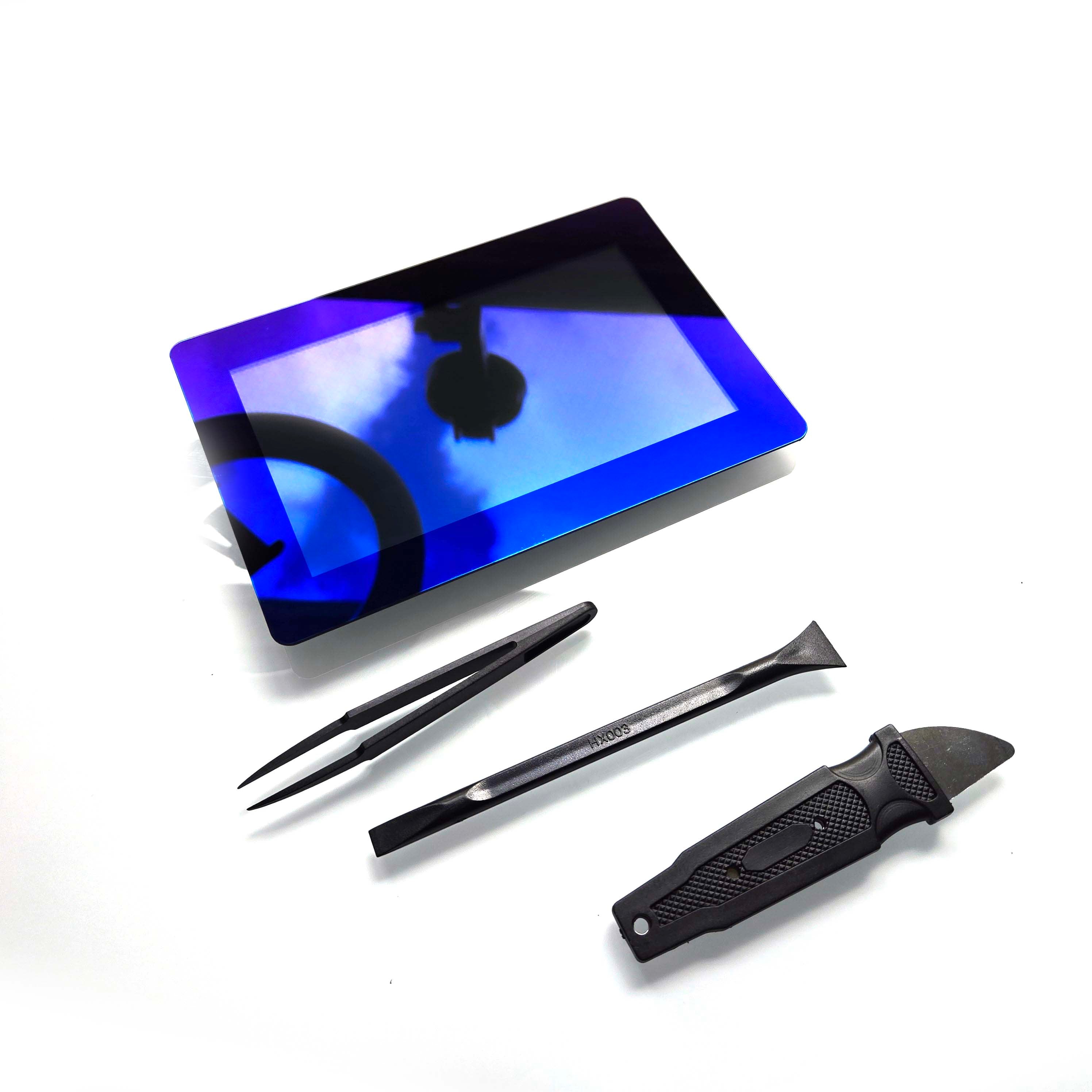
DIY Repair Kit
For experienced techs and installers who want zero downtime — we ship the complete LCD/digitizer kit with tools, RTV silicone, and a step-by-step video guide. Similar to a smartphone screen swap.
View DIY Kit →Don’t wait until the LCD fails
Get Your Yamaha Connext Working Again.
Yamaha Connext 4.3" screens repaired and returned within 5 business days. All settings retained. Satisfaction guaranteed.
View All Yamaha Connext 4.3" Repair Options →MTC Screens LLC is not an authorized distributor, reseller, or representative of Yamaha or any other brand featured on this website. All product names, trademarks, and logos are the property of their respective owners and are referenced for compatibility identification purposes only.
